
סקירת תאורת סטודיו למערכות PhotoRobot
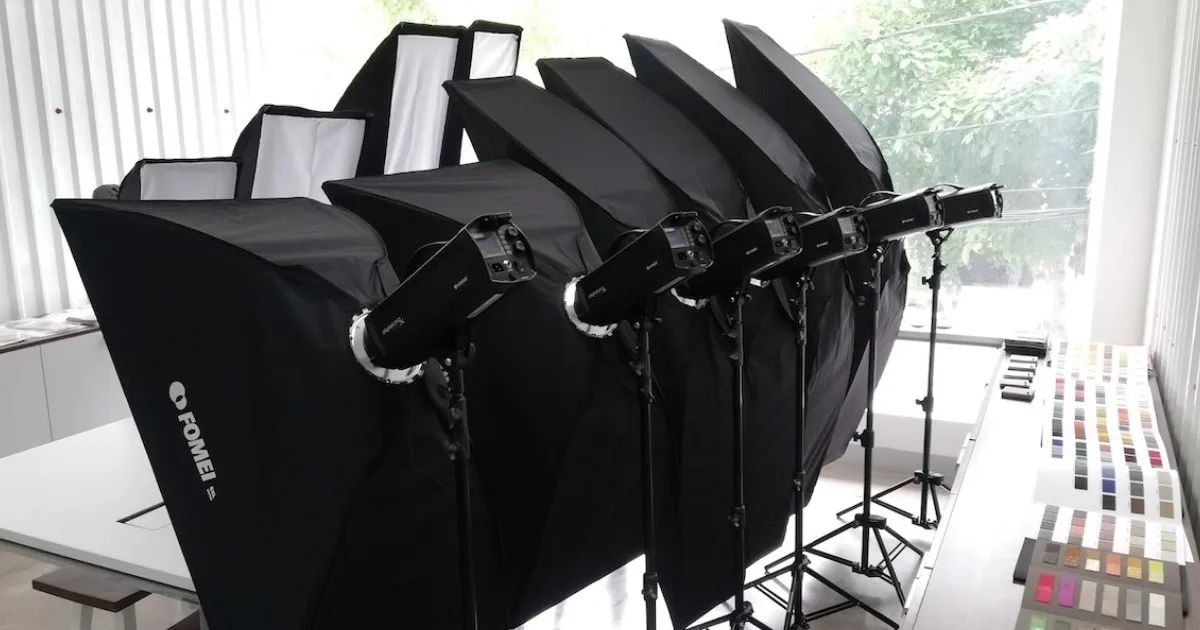
הסקירה הבאה מתארת את בחירת תאורת הסטודיו עבור לקוחות PhotoRobot. זה כולל מידע המכסה את כל סוגי תאורת הסטודיו הזמינים עבור PhotoRobot. מצא את האפשרויות לתאורה רציפה, סטרובוסקופית, ונשלטת DMX מבית Broncolor, FOMEI, ו-Profoto.
יש מידע טכני על איכות התאורה וכן על גישת התאורה לצילום מוצרים באופן כללי. זה כולל טעויות נפוצות בתאורת סטודיו לצילום מוצרים, כיצד PhotoRobot פותר אותן, והערות טכניות על השגת עומק השדה המושלם.
הערה: מדריך משתמש זה מספק סקירה כללית לבחירתכם במערכות תאורה לשימוש עם PhotoRobot. לתיעוד טכני על מערכת תאורת סטודיו ספציפית, עיינו במדריכי המשתמש של PhotoRobot, או במשאבים הנוספים בסוף מסמך זה.
בחירת תאורת סטודיו עם PhotoRobot
במקום להשתמש בתאורת סטודיו בייצור המוני (זולה), PhotoRobot משלבת רק תאורת סטודיו מקצועית מבית Broncolor, FOMEI, ו-Profoto. מותגים אלה מאפשרים ללקוחות PhotoRobot להתמקד בהגדלת התפוקה ללא כל סיכון לפגיעה באיכות עקב תאורה לקויה.
בסופו של דבר, הגישה הכוללת לתאורת מוצרים מצולמים היא קריטית לתמונה המתקבלת. יתר על כן, תמונה זו היא לעיתים קרובות גורם מכריע בהצלחה או כישלון במכירת המוצר באינטרנט, ובהבטחת מינימום החזרות.
זו הסיבה ש-PhotoRobot תומך רק בתאורת סטודיו מקצועית. איכות התאורה חשובה, במיוחד במהירויות של PhotoRobot. לכן, יש להקדיש תשומת לב מיוחדת לבחירה ולהגדרה של מערכות התאורה שלנו.
הטעות הנפוצה ביותר בתאורת סטודיו
אחת הטעויות הנפוצות ביותר בתאורת סטודיו היא שימוש ב-עוצמת תאורה אחורית מוגזמת לצילום מוצרים. בעוד שזה עשוי להוביל לרקע לבן לחלוטין, כמות האור הזולגת מאחור מטשטשת את קווי המתאר של האובייקט. "עטיפת אור" זו נפוצה במערכות "דמויות קופסה" מסוג הכל-באחד המשתמשות בתאורה מפוזרת לא הולמת, ויוצרת בעיות משמעותיות בפועל.
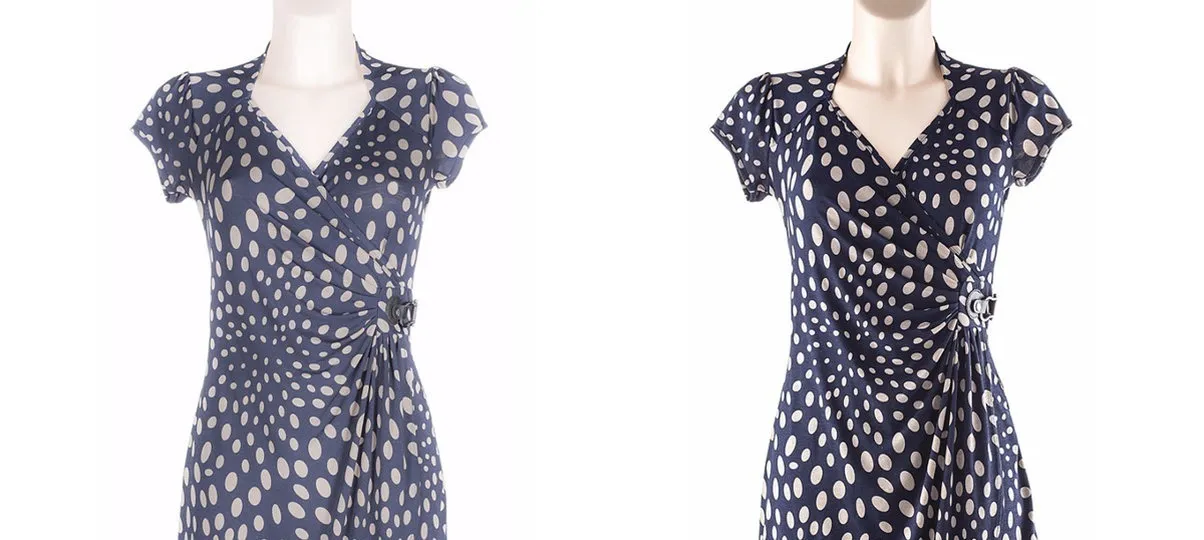
עוצמת תאורה אחורית מוגזמת גורמת ל:
- הפחתה או אובדן ברק על משטחים מחזירי אור;
- שינוי בצבע (עקב גוון חלבי);
- אובדן טקסטורה.
מצד שני, אם מקור האור חלש מדי מכדי לאפשר סגירה מספקת של העדשה, עומק השדה הופך רדוד מדי. הדבר גורם לטשטוש מלפני ומאחורי האובייקט, הניתן להבחנה במיוחד בעת התקרבות לתמונות באמצעות מציגים מקוונים.
עומק שדה בצילום 360 SPIN
בהקשר של סיבובי מוצר 360, חשוב לא רק שהנושא יתאים במסגרת מבחינת רוחב וגובה. כמו כן, יש צורך שהתמונה כולה תישאר בפוקוס, ושהרקע יהיה מחוץ לפוקוס במידת האפשר. זה מאפשר חישוב קל של עומק השדה, ולאימות מאוחר יותר של DoF בפועל.
השתמש במחשבון עומק שדה PhotoRobot כדי להעריך גבולות פוקוס קרובים ורחוקים, עומק שדה כולל ומרחק היפרפוקלי לכל שילוב של אורך מוקד, צמצם, פורמט חיישן ומרחק נושא.
לעיון מהיר, השתמשו בטבלת עומק השדה של PhotoRobot כדי למצוא במהירות עומק שדה כולל למרחקי נושא וצמצמים נפוצים.
הערה: באורך מוקד נתון של העדשה, עומק השדה מושפע ממרחק המצלמה. בנוסף, ניתן לשלוט במרחק המצלמה רק במידה מסוימת בעת הרכבת המצלמה על זרוע ROBOTIC. הדבר נכון גם לגבי ערך הצמצם (f-stop). כדי להשיג עומק שדה גדול יותר, יש צורך בצמצם גבוה יותר, מה שמצריך דרישות גבוהות יותר לעוצמת התאורה.
למרות שנורות LED רציפות פופולריות (ולמרות התקדמותן הטכנולוגית), עוצמת האור שלהן ביחס לאובייקטים גדולים נשארת בלתי מספקת. אובייקטים גדולים דורשים אורות מבזק.
תאורת פלאש מאפשרת זמן חשיפה קצר במיוחד (לדוגמה, 1/10,000 שניות). משמעות הדבר היא שאין צורך לעצור את תנועת המכונה כדי לצלם תמונה. במקום זאת, החשיפה מתבצעת על ידי "הקפאת תנועה" במהלך הבזק קצר ועוצמתי מאוד. במקביל, PhotoRobot מסוגל לקרוא את מיקום ה-TURNTABLE 1,000 פעמים בשנייה כדי להבטיח שההבזק יתרחש ברגע המדויק.
למה זה מסתכם? מבלי לעצור את סיבוב ה-TURNTABLE, ישנה עלייה של פי ארבעה בפריון בממוצע.
סוגי תאורת סטודיו זמינים עבור PhotoRobot
לתפעול פונקציונלי של PhotoRobot עם תאורת סטודיו, בקרת תאורה אוטומטית היא דרישה מחמירה. בקרת תאורה אוטומטית נחוצה כדי שמוצר ספציפי (או קטגוריית מוצרים) יוכל לתפקד עם פרמטרי תאורה מוגדרים מראש באופן אוטומטי באמצעות בקרת תוכנה (PhotoRobot Controls). משמעות הדבר היא גם שהמפעיל אינו צריך לאפס ידנית את תאורת הסצנה.
אורות רציפים
בעת שימוש בתאורה רציפה, מערכת אפיק ה-DMX נפוצה. היא נתמכת על ידי מספר יצרנים, כגון היצרן הבריטי הפופולרי Rotolight. טווח ה-ANOVA שלהם בפרט עובד היטב עם PhotoRobot, אך שימו לב שניתן גם לחבר נורות LED בעיצובכם. לדוגמה, אנו עשויים להשתמש בנורות LED בעיצובנו בעת צילום תכשיטים או פריטים קטנים. במקרה זה, היעדר הבזקים יכול להיות יתרון נעים למפעיל, בעוד שעוצמת האור נשארת מספקת ביחס לגודל האובייקטים.
מערכות PhotoRobot שולטות במערכת ה-DMX באמצעות מתאם USB, המתחבר ליחידת הבקרה של הרובוט או למחשב הבקרה.
אורות סטרובו
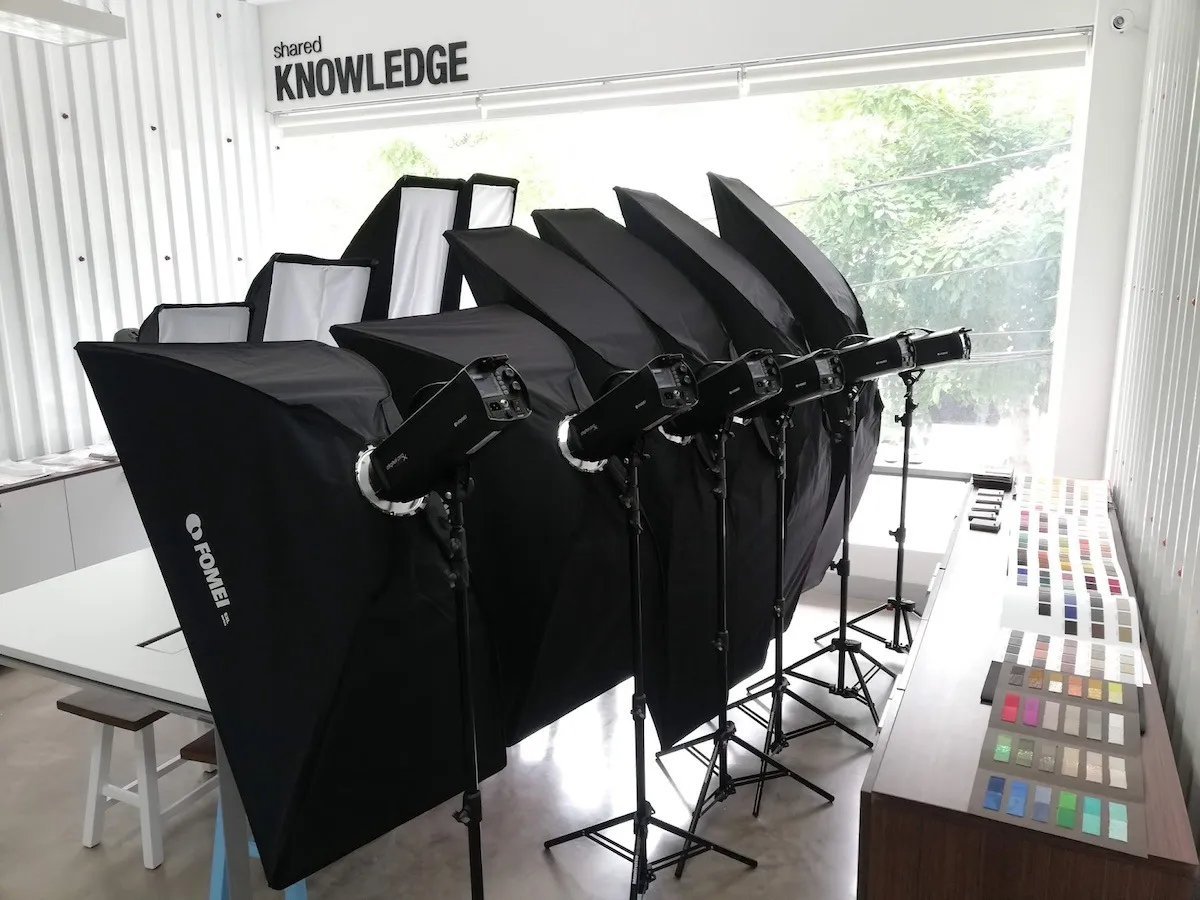
יצרני פנסי סטרובוסקופ משתמשים בדרך כלל בפרוטוקולי תקשורת קנייניים. PhotoRobot תומכת כרגע בשליטה על המותגים הבאים.
- Broncolor (Siros S series)
- FOMEI (סדרת Digital Prox X)
- Profoto
הערה: לתיעוד טכני ומדריכי משתמש על מערכות תאורה ספציפיות לשימוש עם PhotoRobot, עיין במשאבים הנוספים בסוף מסמך זה.
Broncolor
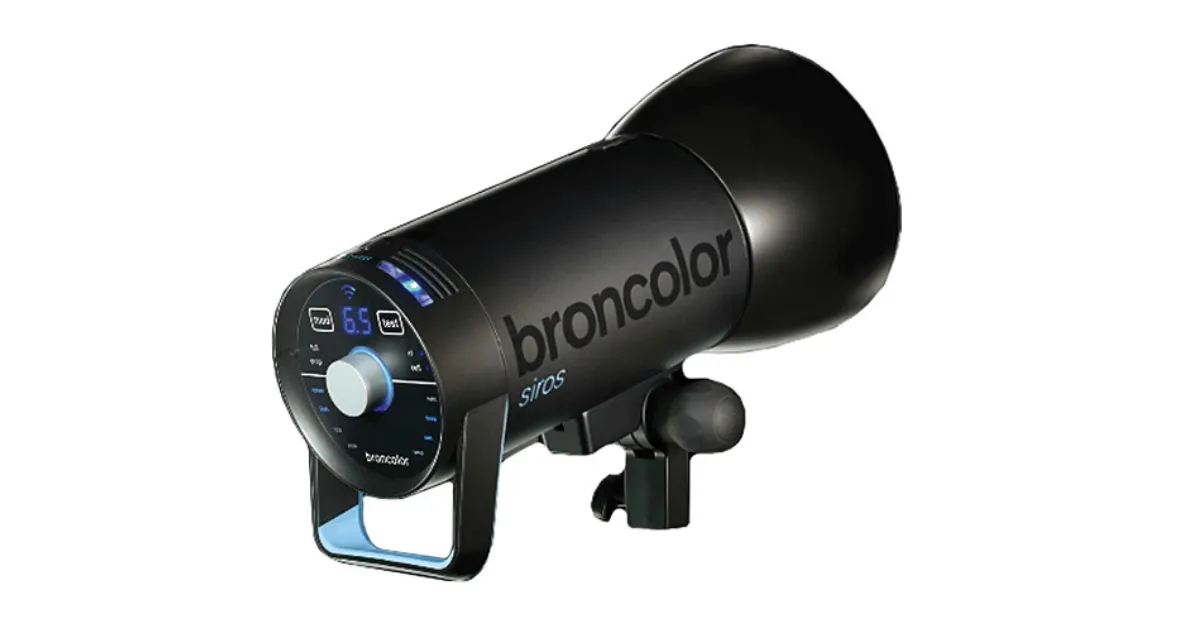
סדרת Broncolor Siros S מספקת איכות מהשורה הראשונה, שליטת Wi-Fi ויציבות צבע גבוהה (גם כאשר עוצמת הפלאש משתנה). זה מבטל כל צורך בכיול צבע בעת שינוי הגדרות תאורה. לסדרת Broncolor Siros S יש גם תדירות פלאש גבוהה (אפילו בעוצמה גבוהה), והיא מגיעה עם ערכת אביזרים מלאה. מחירה הגבוה יותר תואם אפוא באופן מלא את האיכות והביצועים המסופקים, המתאימים ללקוחות עם דרישות גבוהות לגבי תפוקת מוצר או איכות תמונה קיצונית.
FOMEI
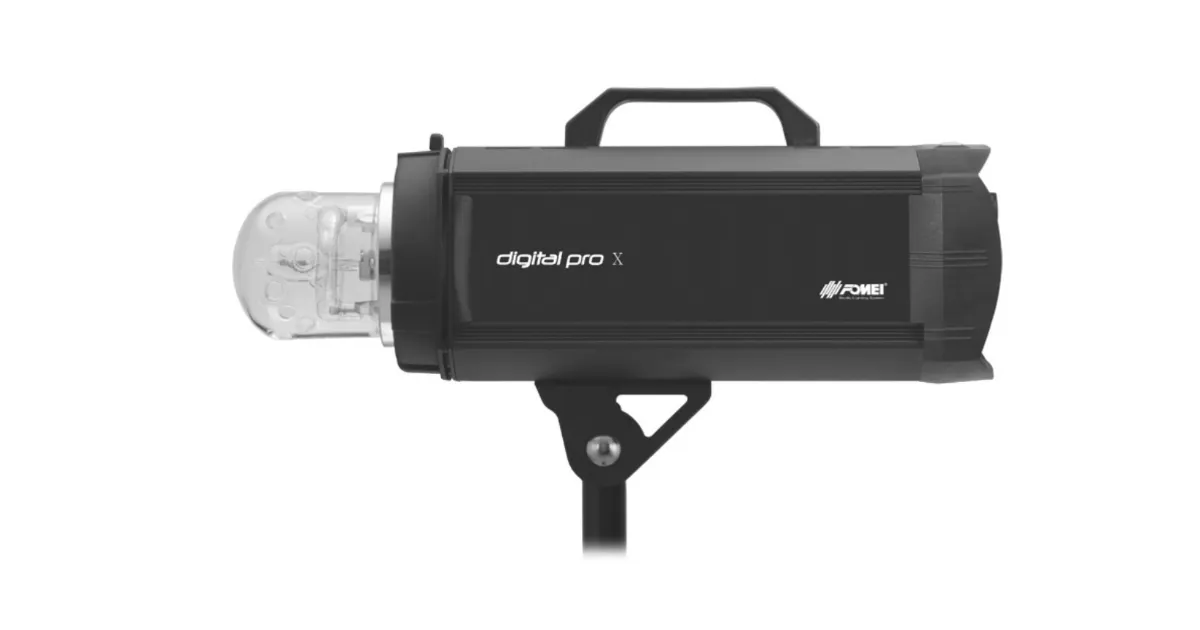
פלאשי סטודיו Digital Pro X של FOMEI מספקים איכות מוכחת מעולה, ומגיעים עם ערכת אביזרים מלאה. האורות מספקים ביצועים בינוניים מבחינת יציבות, אמינות ותדירות הבזקים, תוך שהם מציעים יחס עלות-תועלת מצוין.
Profoto
התקנת תאורת Profoto אפשרית רק עבור לקוחות שכבר משתמשים במוצרי Profoto ואינם רוצים להחליף מותגים. זאת בשל תמיכה מוגבלת בתאורת Profoto.
משאבי תאורת סטודיו נוספים של PhotoRobot
לתיעוד נוסף ומדריכי משתמש על מערכות תאורה ספציפיות לשימוש עם PhotoRobot, עיין במשאבי הלקוחות הבאים.
- ניהול אורות Broncolor
- ערכת מערכת תקרה של FOMEI
- סדרת FOMEI Digital Pro X
- FOMEI LED DMX 150B
- FOMEI LED DMX 300B
- FOMEI LED DMX 600B
- FOMEI LED ROLL


סדרת EOS Rebel


סדרת EOS DSLR


סדרת EOS M ללא מראה


סדרת PowerShot


תקריב / כף יד

סדרת Canon EOS Rebel מציעה מצלמות DSLR ידידותיות למתחילים עם איכות תמונה יציבה, פקדים אינטואיטיביים ותכונות רב-תכליתיות. מצלמות אלה, האידיאליות לחובבי צילום, מספקות מיקוד אוטומטי אמין, מסכי מגע בזוויות משתנות והקלטת וידאו באיכות Full HD או 4K.
חיבור
רזולוציה (MP)
רזולוציה
סדרת Canon EOS DSLR מספקת תמונות באיכות גבוהה, מיקוד אוטומטי מהיר ורב-תכליתיות, מה שהופך אותה לאידיאלית הן לצילום והן להפקת וידיאו.
חיבור
רזולוציה (MP)
רזולוציה
סדרת Canon EOS M Mirrorless Series משלבת עיצוב קומפקטי עם ביצועים דמויי DSLR. מצלמות אלה, הכוללות עדשות מתחלפות, מיקוד אוטומטי מהיר וחיישני תמונה באיכות גבוהה, נהדרות למטיילים וליוצרי תוכן המחפשים ניידות מבלי להתפשר על איכות התמונה.
חיבור
רזולוציה (MP)
רזולוציה
סדרת Canon PowerShot מציעה מצלמות קומפקטיות וידידותיות למשתמש עבור יורים וחובבים מזדמנים. עם דגמים הנעים בין מצלמות פשוטות לכוון ולצלם זום מתקדמות, הן מספקות נוחות, איכות תמונה יציבה ותכונות כמו ייצוב תמונה ווידאו 4K.
חיבור
רזולוציה (MP)
רזולוציה
מצלמות התקריב וכף היד של Canon מיועדות לצילום ווידאו מפורטים מקרוב. הם קומפקטיים וקלים לשימוש, ומציעים מיקוד מדויק, הדמיה ברזולוציה גבוהה ויכולות מאקרו רב-תכליתיות - מושלם עבור ולוגים, צילומי מוצרים ותקריבים יצירתיים.


